
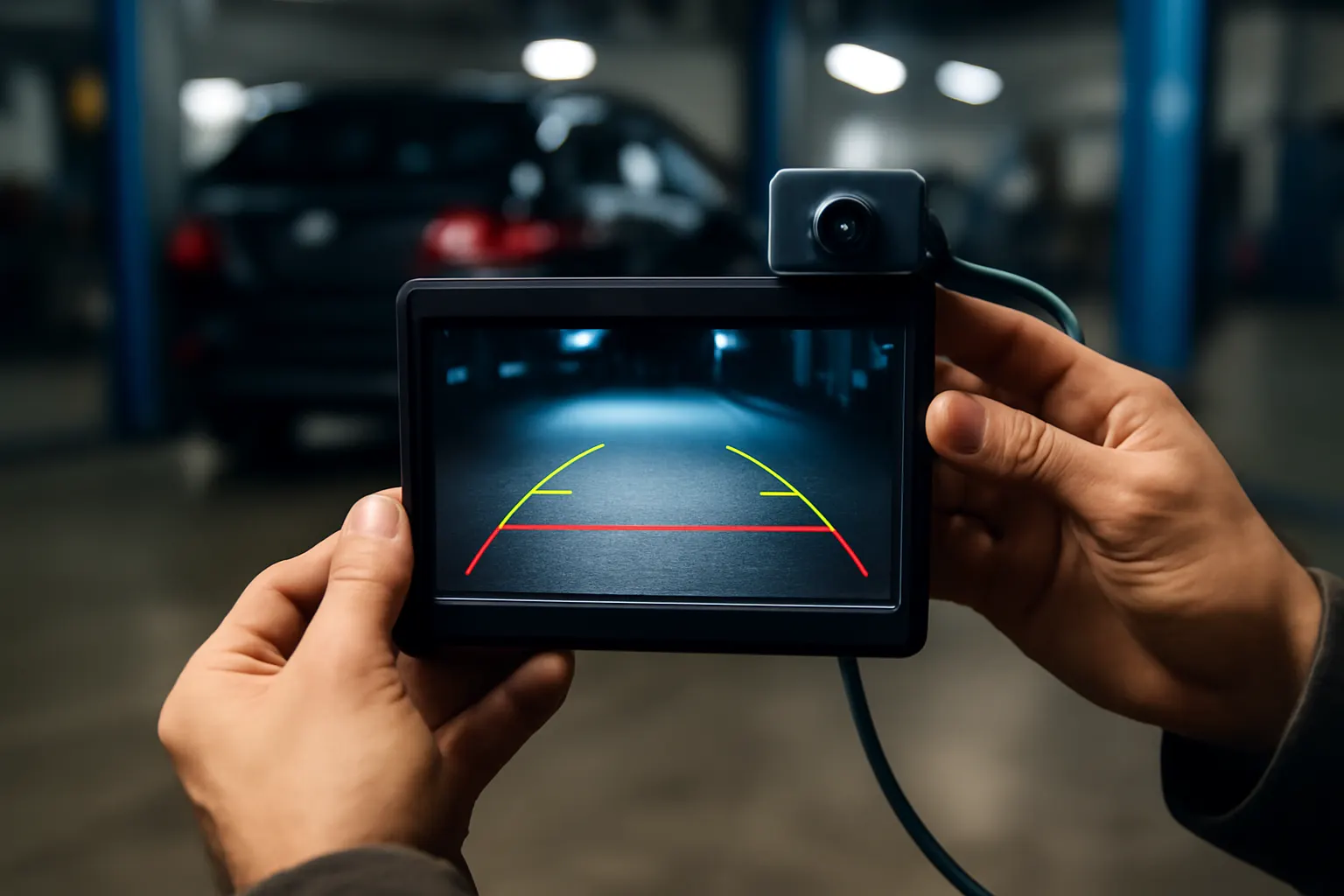
Advanced Backup Camera Features: Night Vision and Guidelines
Modern backup camera systems have evolved far beyond basic rear-view imaging. Today’s advanced backup cameras integrate night vision, dynamic guidelines, and even multi-camera fusion, transforming how drivers perceive obstacles and navigate in reverse. Whether you’re considering an upgrade or troubleshooting an existing system, understanding these features is crucial for maximizing safety and convenience. In this guide, we’ll explore the cutting-edge capabilities of backup cameras, practical diagnostic tips, and how to choose the right system for your vehicle. For those new to the topic, our Backup Camera category page provides a comprehensive overview of available models and fitment options.
What Are Advanced Backup Camera Features?
Advanced backup camera features include technologies that surpass basic video feeds, such as:
- Night vision: Infrared (IR) or low-light imaging for visibility in darkness.
- Dynamic guidelines: On-screen trajectory lines that move with your steering input.
- Multi-camera systems: Integration of several cameras for a 360-degree or split-screen view.
- Enhanced object detection: Algorithms that highlight or warn about obstacles.
- Integration with infotainment systems: Seamless display and control through the vehicle’s main screen.
These features are becoming standard on new vehicles and are available as aftermarket upgrades, dramatically improving safety and driver confidence.
The Hidden Problem: Why Basic Backup Cameras Fall Short
While even the simplest backup cameras provide a major safety improvement, many factory-installed or entry-level aftermarket systems have significant limitations:
- Poor low-light performance: Standard cameras often fail to deliver a clear image at night or in shadowed parking structures.
- Static guidelines: Fixed lines don’t adjust as you steer, making it harder to judge your actual path.
- Limited field of view: Single-lens setups may miss obstacles near the corners or sides of your vehicle.
- Lack of integration: Aftermarket cameras may not interface cleanly with existing displays or vehicle sensors.
These weaknesses can result in missed hazards, driver confusion, or even collisions—especially in challenging conditions.
Expanding the Problem: The Real-World Impact of Outdated Camera Technology
The consequences of insufficient backup camera technology are well-documented. According to the National Highway Traffic Safety Administration (NHTSA), backup cameras are now federally mandated on new passenger vehicles due to their proven ability to reduce backover accidents. However, the effectiveness of these systems depends on their quality and feature set.
- Nighttime accidents: A significant percentage of backover incidents occur in low-light conditions, where standard cameras may be nearly useless.
- Complex parking scenarios: Urban environments and crowded lots demand precise maneuvering, which is difficult with static guidelines and narrow camera angles.
- Trailer and cargo management: Drivers hauling trailers or cargo benefit from multi-angle views and adjustable guidelines, features lacking in basic systems.
As vehicles become larger and rearward visibility decreases, the need for robust, feature-rich camera systems becomes ever more critical.
Night Vision Technology: Seeing in the Dark
How Night Vision Backup Cameras Work
Night vision backup cameras employ two main technologies:
- Infrared (IR) Illumination: The camera uses IR LEDs to illuminate the area behind the vehicle. The sensor is sensitive to IR light, allowing it to “see” in complete darkness. The image appears in grayscale but reveals obstacles invisible to the naked eye.
- Low-Light CMOS Sensors: Advanced cameras use high-sensitivity sensors that amplify available light, producing a usable color image even in dim conditions. These are often marketed as “starlight” or “super night vision” cameras.
Practical Benefits
- Parking in poorly lit areas: Enhanced visibility prevents scrapes, curb strikes, and collisions with pedestrians or animals.
- Rural and off-road use: Drivers navigating unlit trails or driveways benefit from reliable rearward vision at all hours.
- Security and surveillance: Some systems record video for later review, aiding in theft prevention and accident documentation.
Key Considerations
- IR reflection: Dirty or fogged lenses can scatter IR light, reducing image clarity.
- Wiring and power: Night vision cameras may require additional wiring or higher power draw, impacting installation complexity.
Dynamic Guidelines: Steering-Responsive Trajectory Assistance
What Are Dynamic Guidelines?
Dynamic guidelines are on-screen lines that curve and adjust in real-time as you turn the steering wheel. Unlike static lines, which remain fixed, dynamic guidelines predict the actual path your vehicle will follow based on steering angle, wheelbase, and camera position.
How They Work
- Steering angle sensor input: The camera system receives data from the vehicle’s steering angle sensor (often via the CAN bus).
- On-screen overlay: The software calculates the projected trajectory and overlays curved lines onto the live video feed.
- Real-time adjustment: As you steer, the guidelines bend or straighten, showing where your vehicle will go if you maintain the current angle.
Advantages
- Precision parking: Accurately align with parking spaces, loading docks, or trailers.
- Obstacle avoidance: Easily judge if you’ll clear posts, curbs, or other vehicles.
- Reduced guesswork: Especially helpful for new drivers or those adapting to larger vehicles.
Multi-Camera Integration: Expanding Your Field of View
Types of Multi-Camera Systems
- Dual camera (rear + side or rear + top): Adds a secondary angle for blind spots.
- 360-degree surround view: Combines four or more cameras to create a bird’s-eye composite image.
- Split-screen display: Shows multiple views simultaneously (e.g., rear + hitch + side).
Benefits
- Eliminate blind spots: See areas that a single camera cannot cover.
- Safer maneuvering in tight spaces: Essential for large SUVs, trucks, and RVs.
- Trailer alignment: Dedicated hitch cameras simplify trailer hookup.
Installation Challenges
- Complex wiring: Multi-camera systems require more extensive wiring harnesses and careful routing.
- Display integration: Some vehicles may need a compatible infotainment system or an aftermarket display.
Enhanced Object Detection and Warning Systems
How Object Detection Works
Modern backup cameras increasingly incorporate software that can detect and highlight obstacles. Using image processing and, in some cases, radar or ultrasonic sensor data, the system can:
- Draw colored boxes around detected objects
- Sound audible alarms when an obstacle is close
- Display distance markers or warnings on-screen
Practical Value
- Pedestrian safety: Alerts drivers to people or pets behind the vehicle.
- Low-profile hazards: Detects curbs, posts, or debris that might be missed visually.
- Integration with other safety systems: Some cameras work in tandem with cross-traffic alert and automatic braking.
Integration with Vehicle Displays and Controls
OEM vs Aftermarket Integration
- OEM systems: Factory-installed backup cameras are fully integrated with the vehicle’s main display, steering sensors, and sometimes parking sensors.
- Aftermarket systems: May require adapters or new infotainment system head units to display advanced camera features.
Key Integration Points
- Display quality and size: Larger, higher-resolution screens make better use of advanced camera features.
- Control interfaces: Touchscreen or physical buttons may be needed to switch views or adjust guidelines.
- Firmware updates: Some systems allow for software upgrades, adding new features over time.
Diagnostic Checklist: Troubleshooting Advanced Backup Camera Features
If your advanced backup camera isn’t performing as expected, use this step-by-step checklist:
| Symptom | Possible Cause | Diagnostic Step |
|---|---|---|
| No night vision at night | IR LEDs not working | Inspect LEDs for operation; check power/wiring |
| Guidelines not moving | Steering angle sensor issue | Verify sensor function; check camera-software compatibility |
| Blurry or washed-out image | Dirty lens or IR reflection | Clean lens; inspect for water ingress or fogging |
| No display on screen | Integration/wiring fault | Check wiring harness; ensure correct input selected |
| Object detection not working | Software or sensor error | Reboot system; check for firmware/software updates |
| Split-screen/multi-view fails | Camera or display connection | Inspect camera feeds and display inputs |
For more detailed troubleshooting, visit our Troubleshooting Common Backup Camera Problems guide.
Installation Guidance: Upgrading to Advanced Backup Camera Systems
Pre-Installation Considerations
- Compatibility: Confirm your vehicle supports advanced features (e.g., dynamic guidelines may require steering sensor access).
- Display integration: Determine if your current screen can accept new camera inputs or if an upgrade is needed.
- Power and wiring: Assess whether your vehicle’s wiring harness can handle extra load from IR LEDs or multiple cameras.
Installation Steps
- Select the right camera: Choose based on your desired features (night vision, dynamic guidelines, multi-camera).
- Mount the camera(s): Position for optimal field of view—typically on the rear bumper or above the license plate.
- Wire to power and display: Route cables carefully to avoid interference, using the vehicle’s body wiring harness if possible.
- Integrate with sensors: For dynamic guidelines, connect to the steering angle sensor or CAN bus.
- Test and calibrate: Verify all features function; adjust guidelines or camera angles as needed.
For a comprehensive walkthrough, see our Backup Camera Installation: Professional vs DIY Guide.
Maintenance Tips for Sustained Performance
Routine Maintenance
- Clean camera lenses weekly: Use a microfiber cloth and lens-safe cleaner to remove dirt, water spots, and road grime.
- Inspect wiring and connectors: Look for signs of corrosion, wear, or loose connections, especially after harsh weather.
- Check IR LED operation: Ensure night vision functionality by observing the camera in a dark environment.
- Update software/firmware: If your system supports updates, install manufacturer releases to fix bugs or add features.
Seasonal Considerations
- Winter: De-ice camera lenses and ensure the field of view is not blocked by snow or slush.
- Summer: Protect against heat-related damage by checking for signs of lens fogging or housing warping.
Buying Guide: Selecting the Right Advanced Backup Camera System
Key Factors to Consider
- Vehicle compatibility: Not all systems fit every make/model—check fitment guides.
- Desired features: Prioritize night vision, dynamic guidelines, and multi-view based on your driving needs.
- Display integration: Decide if you’ll use an existing screen or need an aftermarket infotainment system.
- Installation complexity: Assess your DIY skills or budget for professional installation.
- Warranty and support: Opt for reputable brands offering clear support channels.
Where to Buy
- OEM parts: For factory-fit and seamless integration, browse our OEM parts section.
- Aftermarket options: Explore third-party brands for greater feature variety and price points.
- AutoPartEx expert support: Our technical advisors can help match the right system to your vehicle and needs.
Fitment and Compatibility: Ensuring a Seamless Upgrade
OEM vs Aftermarket Fitment
- OEM systems: Designed for specific models, guaranteeing fit and function. May be more expensive and require dealership programming.
- Aftermarket systems: Offer broader compatibility and feature sets but may need custom mounts or adapters.
Fitment Checklist
- Check camera mounting points (license plate, tailgate, bumper).
- Verify display input compatibility (RCA, HDMI, proprietary).
- Confirm power supply and wiring harness compatibility.
- Ensure physical clearance for camera housing and IR LEDs.
Integration with Other Safety Equipment
Advanced backup cameras often work best when paired with other safety equipment, such as backup lights or parking sensors. Coordinating upgrades can maximize both safety and convenience.
The Role of Standards and Safety Regulations
Federal Requirements
According to the NHTSA, all new passenger vehicles sold in the U.S. must include a backup camera. However, the law sets only minimum standards—advanced features like night vision and dynamic guidelines are left to manufacturers and the aftermarket.
Industry Standards
- SAE International: Sets technical standards for imaging systems, wiring, and safety performance (SAE Standards).
- Vehicle manufacturers: Often specify their own requirements for integration, image quality, and diagnostics.
Why Standards Matter
- Safety: Ensures reliable performance and reduces the risk of system failure.
- Interoperability: Promotes compatibility between components from different suppliers.
- Ease of troubleshooting: Standardized diagnostics help resolve issues quickly.
Troubleshooting and Upgrading: When to Seek Professional Help
While many advanced backup camera features can be installed or diagnosed by skilled DIYers, some situations warrant professional assistance:
- Complex wiring or CAN bus integration: Mistakes can disable other vehicle systems or trigger warning lights.
- Display retrofitting: Upgrading to a larger or higher-resolution screen may require dashboard modification.
- Software/firmware issues: Some updates or calibrations require dealer-level tools.
If you encounter persistent issues, consult our Troubleshooting Common Backup Camera Problems article or contact a qualified technician.
AutoPartEx: Your Partner for Advanced Backup Camera Solutions
At AutoPartEx, we understand that upgrading your vehicle’s safety and convenience is about more than just parts—it’s about confidence on the road. Our curated Backup Camera selection includes the latest night vision, dynamic guideline, and multi-camera systems, backed by expert support and fitment guidance. Whether you’re fitting a new camera to a late-model SUV or retrofitting an older truck for advanced safety, our technical editorial team and customer advisors are here to ensure you get the right solution the first time.
Explore our OEM parts for guaranteed fit, or browse aftermarket options for expanded features. Need help with installation or troubleshooting? Our in-depth guides—including the Backup Camera Installation: Professional vs DIY Guide—walk you through every step.
Conclusion: The Future of Backup Camera Technology
Advanced backup camera features are no longer luxury add-ons—they’re essential tools for safe, confident driving. Night vision, dynamic guidelines, and multi-camera integration address the real-world challenges of reversing and parking in today’s environments. By understanding these technologies and following best practices for installation, maintenance, and troubleshooting, you can ensure your vehicle is equipped for the road ahead.
Ready to upgrade? Visit our Backup Camera category to find the latest systems and expert advice tailored to your needs.
