
Advertisement
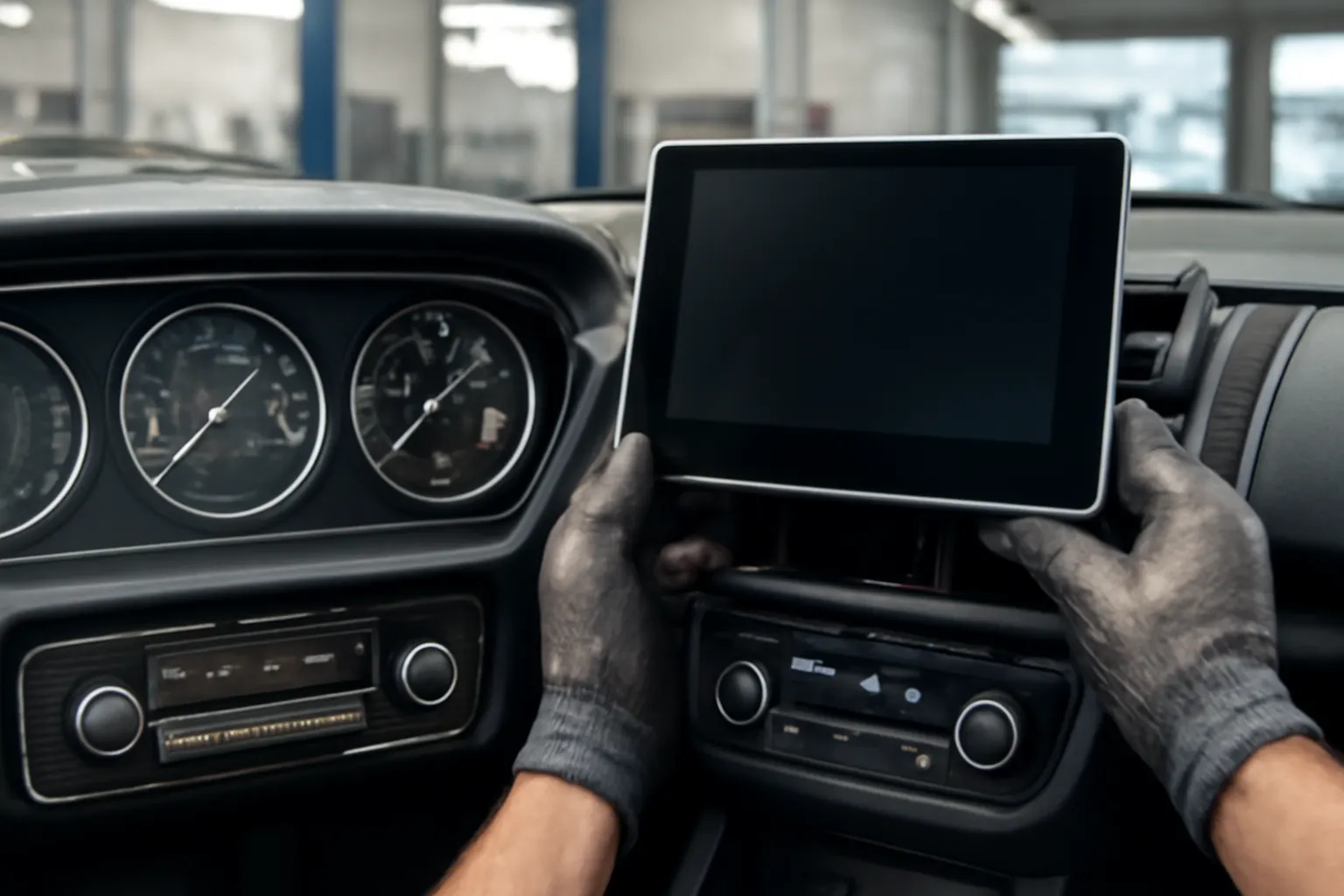
Automotive displays have undergone a dramatic transformation over the past century, evolving from basic analog dials to sophisticated, multi-functional touchscreens that now serve as the nerve center for vehicle control. For drivers and automotive professionals alike, understanding this evolution isn’t just a matter of appreciating technological progress—it’s essential for navigating the challenges of diagnostics, repair, maintenance, and upgrades in modern vehicles. This deep dive explores the history, technical milestones, and future directions of in-car displays, with actionable insights for anyone working with or selecting GPS screens, infotainment systems, or integrated control panels.
For a comprehensive breakdown of current GPS, radio, and climate control screen systems, refer to the Comprehensive Guide to GPS Screens (See Also Radio or Heater/AC Control).
From Analog Dials to Digital Readouts: The Immediate Answer
The automotive dashboard has shifted from a simple cluster of analog gauges—speedometers, fuel indicators, temperature dials—to a digital hub that manages navigation, entertainment, comfort, and safety systems. Modern vehicles now feature high-resolution touchscreens, often spanning much of the dash, consolidating controls for GPS, radio, HVAC, and advanced driver-assistance systems (ADAS).
This evolution has delivered unprecedented convenience and customization for drivers. No longer limited to static displays, today’s screens can be configured to show real-time diagnostics, navigation overlays, multimedia, and vehicle settings—all in a user-friendly interface. With the integration of touch, voice, and even gesture controls, the automotive display has become both the command center and the primary interface for the modern vehicle.
The Hidden Problem: Complexity and Reliability
While these advancements bring new capabilities, they also introduce a host of hidden challenges. The integration of multiple systems—navigation, audio, climate, and safety controls—into a single screen raises the stakes for reliability, repair, and safety. When a touchscreen fails, it can render several critical vehicle functions inaccessible, complicating both diagnostics and repairs.
Moreover, the rapid pace of technology means that replacement parts, software updates, and compatibility issues are a growing concern for both DIYers and professional technicians. The complexity of these systems also impacts vehicle safety, as display malfunctions can distract drivers or obscure important information, a topic closely monitored by the National Highway Traffic Safety Administration (NHTSA).
Beyond the Surface: Technical Evolution and Materials
The Early Days: Mechanical and Electromechanical Displays
The earliest automotive dashboards were purely mechanical, featuring analog dials driven by cables and gears. Speedometers, tachometers, and fuel gauges were read via physical needles and printed faces. Reliability was high, but customization and information density were limited.
In the late 20th century, electromechanical solutions emerged. Vacuum fluorescent displays (VFDs) and simple LCDs began to appear, enabling digital odometers and trip computers. These early digital displays added functionality but were often dim, monochrome, and prone to fading over time.
The Leap to Full Digital and Multi-Function Screens
By the early 2000s, advances in materials and electronics enabled brighter, more durable displays. Thin-film transistor (TFT) LCDs and later organic light-emitting diode (OLED) panels allowed for full-color, high-resolution screens. These could display navigation maps, entertainment menus, and even vehicle diagnostics in real time.
The integration of touch technology marked a watershed moment. Capacitive and resistive touchscreens replaced physical buttons, streamlining dashboards and enabling more dynamic interfaces. These advancements were made possible by breakthroughs in lightweight, impact-resistant materials, as detailed in the Materials Technologies research from the U.S. Department of Energy.
The Multi-Modal Control Revolution
Modern vehicles rarely rely on a single input method. Today’s automotive displays support multi-modal control—combining touch, voice commands, steering wheel buttons, and even gesture recognition. This approach aims to minimize driver distraction while maximizing accessibility.
Advertisement
- Touchscreens: Allow for fast, intuitive interactions but can be difficult to operate by feel, especially while driving.
- Physical Redundancy: Some manufacturers retain rotary dials or physical switches for essential functions as a backup.
- Voice Controls: Increasingly sophisticated, allowing drivers to change settings or enter navigation destinations hands-free.
- Steering Wheel Controls: Offer tactile feedback and reduce the need to reach for the central display.
This convergence of interfaces is driven by both consumer demand and stringent safety standards, as outlined by the NHTSA.
Integration with Vehicle Systems: The Central Hub
Today’s vehicle displays are more than just screens—they are the central node for a network of interconnected systems. The typical modern infotainment unit manages:
- GPS Navigation: Real-time maps, traffic updates, and route planning.
- Climate Control: Digital management of heating, ventilation, and air conditioning (HVAC).
- Audio/Media: Streaming, radio, Bluetooth, and smartphone integration.
- Vehicle Settings: Lighting, seat adjustments, driver profiles, and safety system configurations.
- Diagnostics: Real-time monitoring of engine, transmission, and emissions systems.
This centralization streamlines the driving experience but also means that a single point of failure can impact multiple vehicle functions. Diagnosing infotainment screen failures now requires a blend of software troubleshooting and traditional electrical diagnostics. For a step-by-step approach, see Diagnosing Infotainment Screen Failures.
Safety Implications and Regulatory Oversight
As screens take over more control functions, safety concerns have grown. The NHTSA has established guidelines for in-vehicle displays to minimize driver distraction and ensure that critical information is always visible and accessible. These include:
- Display Prioritization: Safety alerts, such as collision warnings or system faults, must override other display content.
- Redundancy: Essential functions like hazard lights and defrosters often retain physical controls, even in fully digital cockpits.
- Brightness and Legibility: Displays must remain readable in all lighting conditions and not cause glare that could impair driving.
Manufacturers are required to comply with these safety standards and are subject to recalls if their systems pose a hazard. The complexity of modern screens means that recalls may involve both hardware and software updates, with implications for both OEM and aftermarket units.
Display Technologies: LCD, OLED, and Beyond
LCD (Liquid Crystal Display)
The workhorse of automotive screens, LCDs offer good brightness, color, and durability at a reasonable cost. They are less susceptible to burn-in than OLEDs and can be manufactured in a wide range of sizes and shapes.
OLED (Organic Light-Emitting Diode)
OLED displays deliver superior contrast and color, with true blacks and excellent viewing angles. However, they are more expensive and can suffer from image retention or burn-in, particularly in static display applications.
Emerging Technologies
- MicroLED: Promises even greater brightness and longevity, but is currently cost-prohibitive for widespread automotive use.
- Haptic Feedback Screens: Add tactile sensations to virtual buttons, improving usability without physical switches.
- Augmented Reality (AR) Head-Up Displays: Project information directly onto the windshield, reducing the need to look away from the road.
Diagnosing and Repairing Display Failures
When a modern display fails, it can be due to a range of causes—faulty touch sensors, failed backlights, corrupted software, or damaged connectors. Diagnosing the root cause requires a methodical approach:
Diagnostic Checklist for Display Failures
- Check for Power: Use a multimeter to verify voltage at the display connector.
- Inspect Connectors: Look for corrosion, loose pins, or damaged wiring.
- Test Backlighting: Shine a flashlight at the screen—if you see faint images, the backlight may have failed.
- Reboot the System: Power cycle the vehicle or remove the infotainment fuse for a few minutes.
- Scan for Codes: Use an OBD-II scanner to check for related diagnostic trouble codes (DTCs).
- Software Updates: Verify that the latest firmware is installed, as many issues are resolved via updates.
- Physical Damage: Check for cracks, moisture ingress, or delamination in the display assembly.
If the screen remains inoperable after these checks, replacement is often the most practical solution. For a comparison of OEM and aftermarket options, see OEM vs Aftermarket GPS Screens: What You Need to Know.
Advertisement
Installation and Sourcing Guidance
Replacing a modern automotive display is more complex than swapping out an old radio. Consider the following:
- Compatibility: Ensure the replacement screen matches your vehicle’s make, model, year, and trim level. Some units are VIN-specific.
- Programming: Many infotainment units require coding or programming to integrate with the vehicle’s security and CAN bus systems.
- Physical Fitment: Check mounting points and bezel dimensions, especially if upgrading to a larger screen.
- Connector Types: Match wiring harnesses and antenna connections. Adapters may be necessary for aftermarket units.
- Software Integration: Verify compatibility with factory cameras, sensors, and steering wheel controls.
When sourcing displays, use reputable suppliers and always verify part numbers. For a curated selection by manufacturer and model, browse the Comprehensive Guide to GPS Screens (See Also Radio or Heater/AC Control).
Maintaining and Upgrading Automotive Displays
Proper maintenance can extend the life of your vehicle’s display system:
- Keep Screens Clean: Use microfiber cloths and screen-safe cleaners to avoid scratching or damaging coatings.
- Avoid Excessive Heat: Park in the shade when possible; high temperatures can degrade display components.
- Update Software Regularly: Manufacturers release updates to address bugs, improve compatibility, and enhance security.
- Monitor for Early Warning Signs: Flickering, slow response, or random reboots can indicate developing issues.
Upgrading to a newer unit—such as adding Apple CarPlay, Android Auto, or a larger touchscreen—can breathe new life into an older vehicle. However, ensure that any upgrades are compatible with your vehicle’s electrical system and comply with safety standards.
The Future: Fully Integrated, Software-Defined Cockpits
The next wave of automotive displays is already on the horizon. Software-defined vehicles (SDVs) will rely on centralized computing platforms, enabling over-the-air updates and greater customization. Expect to see:
- Seamless Integration: Screens that blend into the dash, with contextual controls that appear only when needed.
- Personalization: Driver profiles that adjust display layouts, colors, and information based on user preferences.
- Expanded Head-Up Displays: Augmented reality overlays for navigation, hazard detection, and driver assistance.
- Enhanced Connectivity: Integration with smart home devices, wearable tech, and cloud-based services.
These advancements will require new standards for cybersecurity, reliability, and interoperability—areas actively being addressed by organizations like SAE International.
Buying Checklist: Selecting the Right Automotive Display
When selecting a replacement or upgraded automotive display, keep these factors in mind:
| Factor | What to Check |
|---|---|
| Compatibility | Vehicle make/model/year, trim level, and VIN |
| Display Technology | LCD, OLED, or emerging tech (MicroLED, AR HUD) |
| Input Methods | Touch, physical buttons, voice, steering wheel controls |
| Software Integration | Navigation, audio, climate, ADAS compatibility |
| Physical Fitment | Mounting points, bezel size, harness connectors |
| Safety Compliance | Meets NHTSA and SAE standards |
| Update Support | Access to firmware/software updates |
| Warranty/Support | OEM vs aftermarket coverage, support availability |
AutoPartEx: Your Partner in Automotive Display Solutions
Navigating the world of modern automotive displays requires up-to-date technical knowledge and access to quality parts. At AutoPartEx, we specialize in connecting drivers, DIYers, and professionals with the right components for their vehicles—whether you need a factory GPS screen, a climate control panel, or advice on diagnosing infotainment issues.
Explore our extensive catalog by manufacturer—such as Acura or AMC—or dive deeper into component-specific guides like How Integrated Screens Control Your Car’s Comfort. Our technical editorial team is committed to providing the latest insights and actionable solutions for every generation of automotive display.
Conclusion: Mastering the Modern Dashboard
The journey from analog dials to digital touchscreens has transformed how drivers interact with their vehicles. While the benefits are clear—greater convenience, customization, and connectivity—the complexity of these systems demands a new level of expertise for diagnostics, repair, and upgrades. By staying informed about the latest display technologies, safety standards, and maintenance best practices, you can ensure that your vehicle’s interface remains reliable, safe, and up to date.
Whether you’re troubleshooting a blank screen, considering an upgrade, or simply curious about where the industry is headed, understanding the evolution of automotive displays is essential for every serious automotive enthusiast or professional.
References
Advertisement