
Advertisement
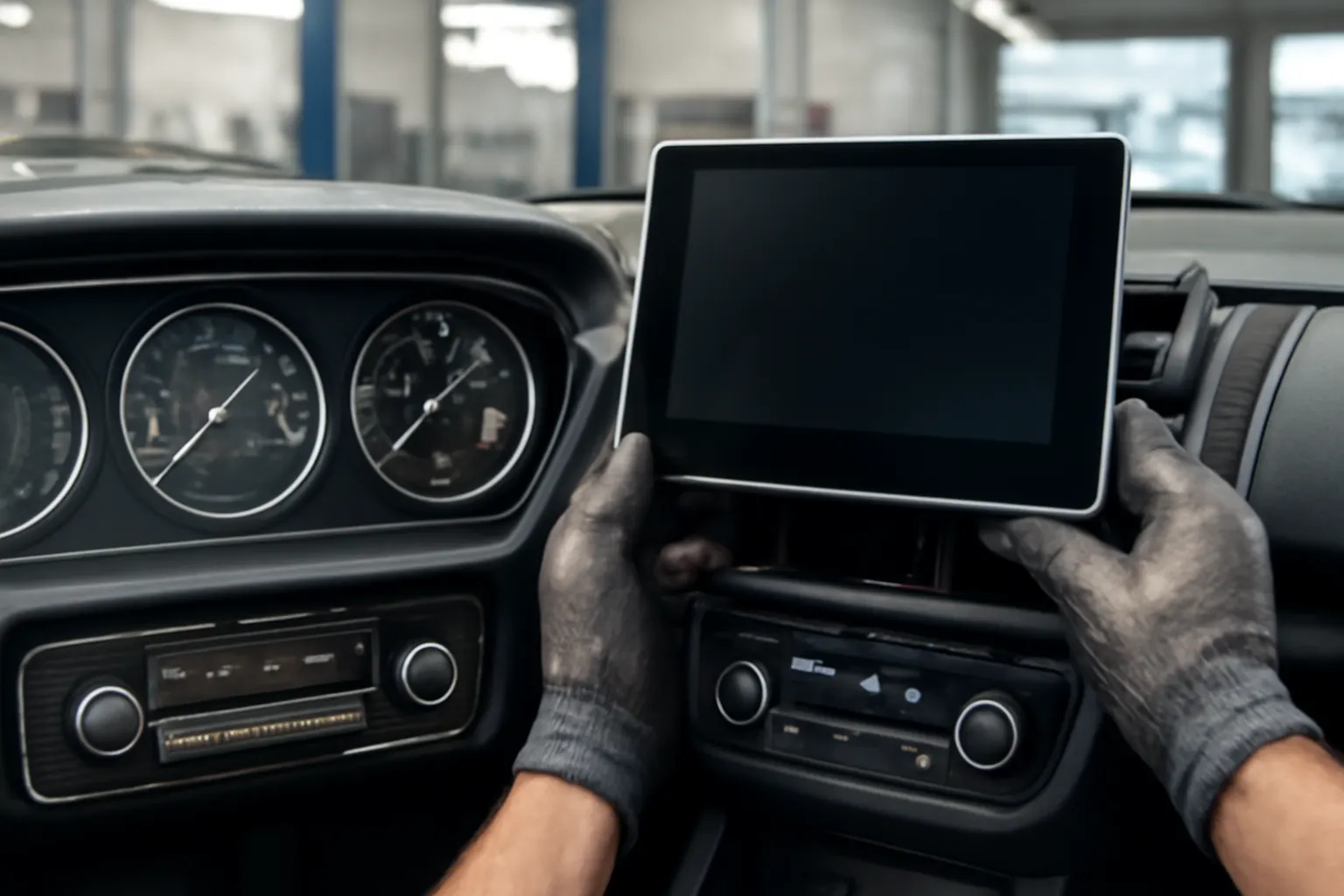
Automotive displays have undergone a dramatic transformation—moving from simple mechanical dials to sophisticated, integrated touchscreens that now control navigation, climate, entertainment, and even safety systems. In this comprehensive guide, we’ll break down the evolution of vehicle displays, explain the technology behind the screens you see today, and offer practical advice for buyers, installers, and those troubleshooting modern infotainment systems. If you’re exploring GPS screens, radio interfaces, or heater/AC control displays, understanding this evolution is key to making informed choices—whether you’re selecting parts from our Comprehensive Guide to GPS Screens (See Also Radio or Heater/AC Control) or diagnosing an infotainment failure.
From Analog Dials to Digital Beginnings: The Immediate Answer
The transition from analog dials to digital displays in vehicles began in the late 1970s and accelerated through the 1980s and 1990s. Early dashboards featured mechanical speedometers, fuel gauges, and temperature dials. As microprocessor technology advanced and display modules became more affordable, manufacturers started introducing digital instrument clusters. The first digital dashboards used LED or LCD panels for speed, fuel, and warning indicators, paving the way for today’s fully integrated touchscreens.
Modern automotive displays now serve as central command centers—integrating GPS navigation, climate control, audio systems, and advanced safety features. Touchscreens have largely replaced buttons and knobs, offering drivers and passengers a unified interface for nearly all vehicle functions. This shift has enhanced user experience, boosted vehicle safety through better diagnostics and alerts, and enabled new features such as real-time navigation updates and wireless connectivity.
The Hidden Problem: Integration Complexity and User Distraction
While automotive screens offer unprecedented convenience and control, their integration introduces new challenges. Complex infotainment systems can become points of failure, leading to loss of critical functions like climate control or navigation. Overly complicated interfaces may also increase driver distraction, especially when essential controls are buried within touchscreen menus.
From a technical standpoint, integrating navigation, media, and vehicle diagnostics into a single display system requires robust hardware, resilient software, and careful ergonomic design. Failures in any part of the system—whether a faulty screen, a failing control module, or outdated firmware—can affect multiple vehicle functions at once.
Expanding on the Problem: Technical, Safety, and User Experience Challenges
Hardware and Software Vulnerabilities
Unlike traditional dials, digital displays rely on intricate connections between sensors, control units, and the central infotainment processor. Issues such as dead pixels, failed backlighting, or touchscreen calibration errors are common in aging systems. Additionally, software glitches can cause frozen screens or unresponsive controls, sometimes requiring dealer intervention or firmware updates.
Safety Implications
According to the National Highway Traffic Safety Administration, poorly designed or malfunctioning displays can compromise vehicle safety. Critical alerts—such as tire pressure warnings or engine diagnostics—may be missed if the display fails or is difficult to interpret. Furthermore, touchscreen controls for essential systems (like defrost or hazard lights) may not be as intuitive or reliable as traditional buttons, posing risks in emergency situations.
User Experience and Learning Curve
With the proliferation of features, modern infotainment systems often require users to navigate through multiple menus for basic functions. This learning curve can be steep, especially for drivers accustomed to analog controls. Automakers strive to balance innovation with usability, but differences between brands and models can lead to confusion and frustration.
The Technical Evolution: Milestones in Automotive Display Technology
Mechanical Dials and Analog Gauges
The first automotive dashboards, dating back to the early 20th century, were simple panels featuring mechanical dials for speed, fuel, and engine temperature. These analog gauges were reliable, easy to read, and required minimal maintenance. Their construction typically involved metal housings, springs, and gears—components that could withstand decades of use.
Early Digital Instrumentation
By the late 1970s, digital displays began appearing in premium vehicles. These systems used LED or vacuum fluorescent displays (VFDs) to present speed, fuel, and other data. While visually striking, early digital dashboards were often criticized for poor visibility in sunlight and limited durability. However, they set the stage for further integration and the eventual adoption of LCD technology.
The Rise of LCD Panels
Liquid Crystal Displays (LCDs) emerged in the 1990s as the preferred technology for automotive screens. LCDs offered better visibility, lower power consumption, and greater flexibility in presenting information. Manufacturers began integrating trip computers, digital odometers, and multi-function displays into dashboards.
Advertisement
Touchscreens and Integrated Control
The 2000s saw the widespread adoption of touchscreens, first as optional upgrades and later as standard equipment in many vehicles. These screens consolidated navigation, audio, climate, and vehicle settings into a single interface. Capacitive touchscreens, similar to those used in smartphones, improved responsiveness and allowed for more sophisticated graphics.
Advanced Driver Assistance and Connectivity
Recent advancements include high-resolution displays for backup cameras, 360-degree surround views, and heads-up displays (HUDs) projected onto windshields. Modern systems are now connected to the internet, enabling real-time navigation updates, over-the-air software upgrades, and integration with smartphones and smart home devices.
The Materials and Engineering Behind Displays
Lightweight and Durable Materials
Modern automotive screens rely on lightweight, impact-resistant materials—such as polycarbonate and chemically hardened glass—to withstand vibrations, temperature fluctuations, and everyday wear. According to the U.S. Department of Energy, material innovations have reduced display module weight, contributing to overall vehicle efficiency and performance.
Electronics and Thermal Management
Display modules are engineered for reliability in harsh automotive environments. Advanced printed circuit boards, heat sinks, and thermal management systems prevent overheating and ensure consistent performance. Displays are also tested for electromagnetic compatibility to avoid interference with other vehicle systems, as outlined in SAE Standards.
Modular Design and Serviceability
Manufacturers are increasingly adopting modular designs for display systems, allowing for easier replacement and upgrades. This modularity is crucial for maintenance, especially as display technologies evolve rapidly and older units become obsolete or unsupported.
Diagnosing Infotainment and Display Failures
When a vehicle’s display malfunctions, accurate diagnosis is essential. The following checklist can help identify the root cause of common screen-related issues:
Automotive Display Diagnostic Checklist
-
Screen is Blank or Unresponsive
- Check vehicle fuses related to infotainment or display modules.
- Inspect wiring harnesses for loose connections or corrosion.
- Attempt a system reset (consult the vehicle manual for procedure).
-
Display Shows Error Messages
- Note any error codes or warnings.
- Use a diagnostic scan tool to retrieve fault codes from the infotainment ECU.
- Verify software/firmware version and check for available updates.
-
Touchscreen is Inaccurate or Non-Functional
- Clean the screen surface to remove oils and debris.
- Perform touchscreen calibration if available in settings.
- Inspect for physical damage or cracks.
-
Intermittent Operation
- Observe if the issue correlates with temperature or humidity changes.
- Wiggle wiring harnesses gently to check for intermittent connections.
- Monitor for patterns (e.g., only fails after prolonged use).
-
Specific Functions Not Working (e.g., GPS, Radio, Climate)
- Test related components (antenna, speakers, HVAC sensors).
- Ensure all software modules are communicating (CAN bus check).
- Evaluate if the issue is isolated to the display or affects other vehicle systems.
For more in-depth troubleshooting, see our Diagnosing Infotainment Screen Failures guide.
Buying and Upgrading: What to Consider When Selecting a Display
OEM vs Aftermarket Screens
When replacing or upgrading a vehicle display, buyers must choose between OEM (Original Equipment Manufacturer) units and aftermarket alternatives. OEM screens guarantee compatibility and factory-level integration but tend to be more expensive. Aftermarket units often offer enhanced features—such as larger displays or smartphone mirroring—but may require additional installation steps or adapter harnesses.
For a detailed comparison, refer to OEM vs Aftermarket GPS Screens: What You Need to Know.
Compatibility and Fitment
- Vehicle Make and Model: Always confirm compatibility with your specific vehicle, including year and trim level.
- Wiring and Connectors: Check if existing wiring supports the new display’s features (e.g., backup camera, steering wheel controls).
- Mounting Hardware: Ensure the display will fit in the dashboard opening or purchase a compatible mounting kit.
- Software Integration: Some advanced functions require vehicle-specific firmware or dealer programming.
Feature Checklist for Modern Displays
- Touchscreen interface (capacitive or resistive)
- Integrated GPS navigation
- Bluetooth and smartphone connectivity
- Multi-zone climate control integration
- Backup camera and parking sensor support
- Voice control and hands-free operation
- Over-the-air software update capability
Installation Best Practices for Automotive Displays
Preparation and Planning
- Gather Tools: You’ll need trim removal tools, screwdrivers, and possibly a multimeter.
- Disconnect Battery: Prevent accidental short circuits by disconnecting the negative battery terminal.
- Review Instructions: Consult the display module’s manual and your vehicle’s service documentation.
Step-by-Step Installation Overview
- Remove Trim Panels: Carefully pry off dashboard panels to access the existing display.
- Disconnect Wiring: Label connectors to avoid confusion during reassembly.
- Install New Display: Secure the new unit with appropriate brackets or mounting hardware.
- Connect Wiring: Use adapter harnesses if necessary for aftermarket screens.
- Test Functionality: Reconnect the battery and test all features before reassembling trim.
- Recalibrate Systems: If required, recalibrate touchscreens or sensors using onboard menus.
Advertisement
Post-Installation Checklist
- Confirm display brightness and visibility from all seating positions.
- Test all integrated controls (audio, navigation, climate).
- Update software/firmware to the latest version.
- Ensure all safety features (backup camera, alerts) operate correctly.
Maintenance and Longevity of Modern Displays
Routine Care
- Clean Gently: Use microfiber cloths and non-abrasive cleaners to avoid scratching the surface.
- Monitor for Firmware Updates: Many modern displays support over-the-air or USB updates to fix bugs and add features.
- Check for Recalls: Periodically review NHTSA equipment recalls for known display or infotainment issues affecting your vehicle.
Preventing Common Issues
- Avoid exposing the screen to direct sunlight for extended periods to prevent fading or overheating.
- Do not use sharp objects on the touchscreen surface.
- Address small glitches (e.g., slow response, minor artifacts) early—these can often be resolved with a software reset or update.
The Role of Displays in Vehicle Safety and Efficiency
Modern displays are not just about convenience—they play a pivotal role in vehicle safety and fuel efficiency. Advanced screens provide real-time feedback on driving habits, tire pressure, and engine diagnostics, helping drivers operate vehicles more efficiently and safely. According to the U.S. Department of Energy, well-designed driver interfaces can encourage fuel-saving behaviors and alert users to maintenance needs before they become costly repairs.
Displays also integrate with advanced driver assistance systems (ADAS), such as lane departure warnings, adaptive cruise control, and collision avoidance alerts. The clarity and reliability of these visual cues are critical for timely driver response and accident prevention.
Future Trends: What’s Next for Automotive Displays?
Larger, Curved, and Multi-Function Screens
Automakers are moving towards panoramic displays that stretch across the dashboard, combining instrument clusters, infotainment, and climate controls in a single seamless interface. Some models now feature OLED technology for deeper contrast and flexible shapes, while others use augmented reality heads-up displays to project information directly onto the windshield.
Advertisement
Enhanced Connectivity and Personalization
Future displays will offer deeper integration with cloud services, vehicle-to-everything (V2X) communication, and advanced personalization—adjusting layouts and functions based on driver profiles and preferences. Expect to see gesture controls, haptic feedback, and even voice assistants powered by artificial intelligence.
Improved Safety and Regulatory Standards
Regulators and standards organizations, including the NHTSA and SAE, are developing guidelines to ensure new display technologies enhance safety rather than distract drivers. This includes requirements for minimum font sizes, color contrasts, and fail-safe modes that revert to essential controls in the event of a system fault.
The Integrated Controls Revolution: Beyond the Screen
Today’s displays are at the heart of the integrated controls revolution. Instead of separate switches for radio, climate, and navigation, a single screen can manage every aspect of vehicle comfort and performance. This integration streamlines the dashboard, reduces weight, and simplifies manufacturing, but also places greater importance on display reliability and user interface design.
For an in-depth look at how integrated screens manage comfort systems, see How Integrated Screens Control Your Car’s Comfort.
AutoPartEx: Your Partner in Display Evolution
As automotive displays continue to evolve, AutoPartEx remains committed to providing the latest information, diagnostic tools, and high-quality parts—whether you’re sourcing an OEM replacement, upgrading to a smart aftermarket system, or troubleshooting complex infotainment failures. Our extensive catalog covers everything from legacy analog panels to cutting-edge touchscreens, with expert guidance for every step of the process.
Explore our Comprehensive Guide to GPS Screens (See Also Radio or Heater/AC Control) for detailed fitment data, installation tips, and compatibility charts. For those focusing on specific vehicle brands, browse our manufacturer pages like Acura for tailored recommendations.
Conclusion: Staying Ahead in the Display Era
The journey from mechanical dials to fully integrated touchscreens has fundamentally transformed how drivers interact with their vehicles. While the benefits are clear—greater convenience, improved safety, and enhanced efficiency—the challenges of integration, reliability, and user experience require careful consideration. By understanding the history, technology, and best practices outlined above, automotive professionals and enthusiasts alike can make informed decisions when diagnosing, upgrading, or maintaining vehicle displays.
Stay connected with AutoPartEx for ongoing updates, expert insights, and the latest in automotive display technology. As the industry continues to innovate, we’ll help you navigate every turn—ensuring your vehicle’s displays remain clear, functional, and future-ready.
References
Advertisement


