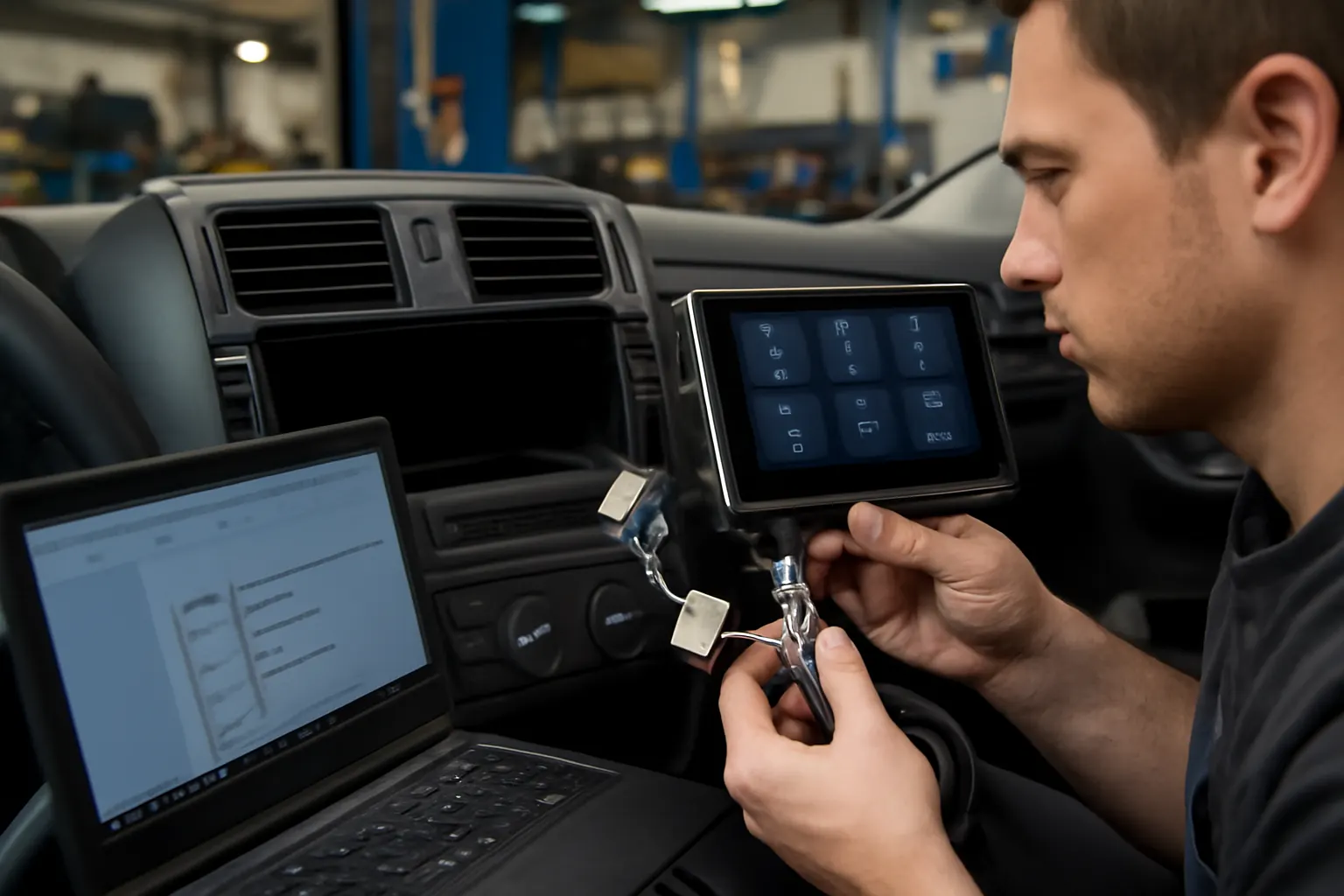
The Role of Infotainment in Vehicle Diagnostics
Modern vehicles are more connected and intelligent than ever before, with infotainment systems now serving as the digital nerve center for both entertainment and critical vehicle diagnostics. If you’re considering a replacement, upgrade, or repair of your radio, CD, or infotainment control unit, understanding their diagnostic role is essential for maintaining safety, performance, and compliance. This guide explores how infotainment systems interact with vehicle diagnostics, what risks are hidden beneath the surface, and how to choose and install the right unit for your vehicle.
For a broader overview of related components and best practices, see our Radio, CD, and Infotainment Control Units: Technical Guide and Replacement Insights.
Infotainment Systems: The Modern Diagnostic Hub
Infotainment systems have evolved far beyond simple radio or CD players. Today, these integrated control units are gateways to the vehicle’s electronic control modules (ECMs), diagnostic trouble codes (DTCs), and real-time system monitoring. Many automakers now route critical vehicle health alerts, sensor feedback, and even maintenance reminders through the infotainment interface. This centralization streamlines diagnostics for technicians and enables drivers to respond to issues with greater speed and accuracy.
Key Functions of Infotainment in Diagnostics
- Display of Diagnostic Alerts: Infotainment screens often show check engine warnings, low tire pressure, oil life, and other system statuses.
- Integration with OBD-II: Many systems connect directly to the vehicle’s onboard diagnostics port, allowing real-time display and logging of DTCs.
- Remote Diagnostics and Telematics: Some units support wireless transmission of diagnostic data to service centers or mobile apps for remote assessment.
Understanding these functions is critical before making any changes to your infotainment hardware, as improper replacements can disrupt diagnostic capabilities and even safety features.
The Hidden Problem: Diagnostic Complexity and System Interdependence
While infotainment systems offer unprecedented convenience, their deep integration with vehicle diagnostics creates new challenges. Replacing or repairing these units is no longer a plug-and-play operation. Modern infotainment systems are intricately linked to vehicle safety, emissions, and performance monitoring.
Risks of Improper Replacement or Repair
- Loss of Diagnostic Functionality: Aftermarket or incorrectly programmed units may not display or transmit critical diagnostic information.
- Compatibility Issues: Mismatched units can trigger system errors, disable safety features, or prevent access to stored DTCs.
- Regulatory Non-Compliance: Tampering with diagnostic interfaces can violate safety and equipment standards set by agencies like the NHTSA.
Without a clear understanding of these risks, vehicle owners and even some installers can inadvertently compromise the diagnostic integrity of the vehicle.
Why Infotainment Matters to Vehicle Safety and Efficiency
The National Highway Traffic Safety Administration (NHTSA) classifies infotainment systems as essential safety equipment when they interface with diagnostic and safety subsystems [^1]. For example, failure to relay a brake system warning or airbag fault due to an incompatible head unit can have serious consequences. Additionally, the United States Department of Energy (DOE) notes that integrated diagnostics help optimize fuel efficiency by monitoring engine and drivetrain health in real-time [^2].
System Interactions
- Safety Alerts: Airbag, ABS, and stability control faults often appear first on the infotainment display.
- Performance Monitoring: Engine misfires, transmission issues, and emissions faults are logged and communicated via the infotainment interface.
- Driver Assistance Features: Advanced Driver-Assistance Systems (ADAS) rely on infotainment for status updates and intervention prompts.
When replacing or upgrading your infotainment system, it’s essential to preserve these diagnostic pathways to maintain both safety and efficiency.
How Infotainment Systems Communicate with Vehicle Diagnostics
Understanding the technical architecture of infotainment-diagnostic integration is key for any installer or vehicle owner considering replacement or repair. Most modern vehicles use a Controller Area Network (CAN bus) to link the infotainment system with various electronic control units (ECUs).
Core Communication Pathways
- CAN Bus Integration: The infotainment system reads and displays data from ECUs via the CAN bus.
- OBD-II Connectivity: Many head units can access and display OBD-II codes, either directly or via a gateway module.
- Telematics Modules: Some infotainment systems include telematics capabilities, sending diagnostic data to remote servers or apps.
This integration means that replacing an infotainment unit often requires reprogramming or re-coding to the vehicle’s VIN, as well as ensuring compatibility with existing diagnostic protocols.
Diagnostic Features to Consider When Replacing Infotainment Units
When selecting a replacement infotainment system, it’s not enough to focus on entertainment features. Diagnostic compatibility should be a top priority.
Diagnostic Feature Checklist
| Feature | Why It Matters | What to Look For |
|---|---|---|
| OBD-II Code Display | Shows real-time fault codes | Confirm OBD-II integration and code display capability |
| CAN Bus Compatibility | Ensures communication with all ECUs | Match to vehicle’s CAN bus version and protocol |
| Safety System Alerts | Displays airbag, ABS, and stability warnings | Verify support for safety alert display |
| Telematics/Data Transmission | Enables remote diagnostics and OTA updates | Check for telematics module or app compatibility |
| Service Reminder Integration | Schedules and displays maintenance reminders | Ensure calendar and reminder features are present |
| VIN Coding/Reprogramming | Prevents system errors and security lockouts | Confirm unit can be coded/reprogrammed to your vehicle |
Carefully review the technical specifications and consult your vehicle’s service manual before making a purchase.
Installation Pitfalls: What Can Go Wrong
Even with a compatible infotainment unit, installation errors can cripple diagnostic functions. Common pitfalls include:
- Incorrect Wiring: Misrouted or incomplete wiring can block communication between the infotainment unit and diagnostic ECUs.
- Skipping Software Updates: Many new units require software or firmware updates post-installation to enable full diagnostic integration.
- Failure to VIN-Code the Unit: Most modern vehicles require the head unit to be coded to the vehicle’s VIN for security and diagnostic access.
Installation Best Practices
- Always disconnect the battery before starting installation to prevent electrical shorts.
- Use manufacturer-specific wiring harnesses and adapters.
- Complete all post-installation software updates and VIN coding procedures.
- Test diagnostic functions (e.g., check engine light, ABS alerts) before finalizing installation.
For a step-by-step guide to diagnosing infotainment failures, see Diagnosing Infotainment System Failures.
Maintaining Diagnostic Integrity During Infotainment Upgrades
Upgrading to a modern infotainment system can improve usability and features, but risks disabling critical diagnostics if not done properly.
Steps to Preserve Diagnostics
- Choose OEM or High-Quality Aftermarket Units: OEM units are guaranteed to support all diagnostic functions. If choosing aftermarket, verify full diagnostic compatibility.
- Consult Technical Documentation: Use wiring diagrams and service manuals to ensure all diagnostic lines are connected.
- Professional Programming: Have the unit coded and programmed by a qualified technician to match your vehicle’s VIN and software version.
- Test All Diagnostic Displays: After installation, use an OBD-II scanner to trigger test alerts and verify that all warnings appear correctly on the infotainment screen.
Upgrades that ignore these steps can lead to loss of safety alerts, failed smog checks, or undetected system faults.
Troubleshooting: When Diagnostics Don’t Work After Replacement
If your infotainment system fails to display or relay diagnostic information after replacement, systematic troubleshooting is required.
Troubleshooting Checklist
- Check Wiring Connections: Inspect all harnesses for loose or misconnected wires, especially CAN bus and OBD-II lines.
- Verify Software/Firmware: Ensure the infotainment unit is running the latest software compatible with your vehicle.
- Re-Code the Unit: Use a dealer or certified scan tool to reprogram the unit to your vehicle’s VIN.
- Test with OBD-II Scanner: Plug in a scanner and verify that codes and alerts are transmitted and displayed correctly.
- Consult Technical Support: If problems persist, consult the unit manufacturer or a certified technician for advanced diagnostics.
Persistent issues may require reverting to the original unit or sourcing a different compatible replacement.
Regulatory and Safety Considerations
The NHTSA and SAE International set strict standards for vehicle equipment, especially when it comes to diagnostics and safety [^1][^4]. Modifying or replacing infotainment systems without maintaining full diagnostic functionality can violate these standards, potentially resulting in failed inspections or increased liability in the event of a crash.
Key Regulatory Points
- Safety Equipment Compliance: Infotainment systems that display safety and diagnostic alerts are considered safety equipment.
- Emissions and Inspection: Some states require all diagnostic systems (including those routed through infotainment) to function for registration and emissions compliance.
- Recall Notifications: Infotainment systems may display recall alerts; disabling this feature can prevent owners from receiving critical safety information.
Always confirm that your replacement or upgraded unit is compliant with applicable standards and regulations.
Choosing Between OEM and Aftermarket Infotainment Units
The choice between original equipment manufacturer (OEM) and aftermarket infotainment units has significant diagnostic implications. OEM units are designed for full compatibility, while aftermarket options may offer advanced features but with varying levels of diagnostic integration.
OEM vs. Aftermarket: Diagnostic Comparison Table
| Feature | OEM Infotainment Units | Aftermarket Infotainment Units |
|---|---|---|
| Diagnostic Code Display | Full support, guaranteed | Varies by model; check specifications |
| Safety Alert Integration | Fully integrated | Not always supported or standardized |
| VIN Coding | Required and supported | Some units support; others do not |
| Regulatory Compliance | Meets all NHTSA and manufacturer specs | Compliance varies; verify before buying |
| Warranty Impact | Maintains OEM warranty | May void warranty if not properly installed |
For more on choosing between OEM and aftermarket units, visit OEM vs. Aftermarket: Choosing the Right Head Unit.
The Impact of Infotainment on Fuel Efficiency and Drivability
Integrated diagnostics via infotainment do more than flag problems—they help optimize vehicle performance and fuel economy. The DOE highlights that real-time monitoring of engine and drivetrain health, facilitated by infotainment displays, can prompt timely maintenance and reduce fuel consumption [^2].
How Diagnostics Influence Efficiency
- Prompt Maintenance Alerts: Timely oil changes, air filter replacements, and spark plug checks are prompted by on-screen reminders, maximizing engine efficiency.
- Live Sensor Feedback: Monitoring tire pressure, coolant temperature, and other variables helps maintain optimal operating conditions.
- Drivability Improvements: Early detection of misfires, sensor failures, or emissions issues allows for quick correction, minimizing performance loss.
Maintaining full diagnostic functionality through your infotainment system is crucial for keeping your vehicle running efficiently and reliably.
Sourcing the Right Infotainment Unit: Practical Buying Guidance
Purchasing a replacement infotainment unit requires more than matching connectors and screen size. Use this checklist to ensure you select a unit that preserves all diagnostic functions:
Infotainment Unit Sourcing Checklist
- Confirm Vehicle Compatibility: Cross-reference your vehicle’s year, make, and model with the unit’s technical documentation.
- Check Diagnostic Feature Support: Ensure the unit supports OBD-II code display, safety alerts, and maintenance reminders.
- Verify CAN Bus and Protocol: Match the unit’s communication protocol to your vehicle’s CAN bus system.
- Assess Update and Coding Requirements: Determine if professional programming or VIN coding is needed.
- Review Regulatory Compliance: Confirm the unit meets NHTSA and SAE standards for safety equipment.
- Consult Reviews and Technical Forums: Look for feedback from other owners of your vehicle model regarding diagnostic compatibility.
For more guidance on upgrading your factory radio to a modern infotainment system, see How to Upgrade Your Factory Radio for Modern Features.
Maintenance and Longevity: Keeping Diagnostic Features Functional
Proper maintenance of your infotainment system is essential for preserving diagnostic capabilities throughout the life of your vehicle.
Maintenance Best Practices
- Regular Software Updates: Install manufacturer-released updates to maintain compatibility with evolving diagnostic protocols.
- Inspect Physical Connections: Periodically check wiring and connectors for corrosion, wear, or disconnection.
- Monitor for System Errors: If diagnostic alerts stop appearing, investigate immediately—this could indicate a deeper communication failure.
- Professional Service: Have the system inspected during routine maintenance, especially after any major repairs or electrical work.
Proactive maintenance ensures your infotainment system remains a reliable diagnostic tool, supporting both safety and performance.
AutoPartEx: Your Partner in Diagnostic-Ready Infotainment Solutions
At AutoPartEx, we understand the critical role infotainment systems play in modern vehicle diagnostics. Our curated selection of OEM and high-quality aftermarket units is vetted for full diagnostic compatibility, regulatory compliance, and ease of installation. Whether you’re seeking a direct replacement or a feature-rich upgrade, our technical support team can help you select, install, and configure a system that meets your vehicle’s unique needs—without sacrificing safety or performance.
For a comprehensive look at all compatible units and diagnostic support, visit our Radio, CD, and Infotainment Control Units: Technical Guide and Replacement Insights.
Taking Action: Expert Steps for Safe and Effective Infotainment Replacement
If you’re planning to replace or upgrade your infotainment system, follow these expert steps to ensure diagnostic integrity:
- Research Compatibility: Use your vehicle’s service manual and technical forums to identify compatible units.
- Prioritize Diagnostic Features: Select units with proven support for OBD-II, CAN bus, and safety alert integration.
- Arrange Professional Installation: Whenever possible, have the unit installed and programmed by a certified technician.
- Test All Functions: Use an OBD-II scanner to verify that all diagnostic codes and alerts are displayed correctly.
- Maintain and Update: Keep your infotainment system updated and inspect connections regularly to prevent communication failures.
By following these steps, you’ll maintain the full diagnostic functionality of your vehicle, ensuring safety, performance, and regulatory compliance for years to come.