
Advertisement
Classic AMC vehicles, renowned for their unique engineering and American legacy, have become sought-after collectibles. Yet, their performance, efficiency, and reliability are increasingly determined by a single, often overlooked component: the chassis control computer. Whether you’re fine-tuning a Concord, restoring an Eagle, or daily-driving a Spirit, understanding how the AMC chassis control computer shapes efficiency, driveability, and long-term reliability is crucial to getting the most out of your classic ride. In this comprehensive guide, we’ll break down the real-world impact of these computers, reveal hidden pitfalls in legacy electronics, and give you the expert path to diagnostics, upgrades, and sourcing—so your AMC performs as brilliantly as it looks.
If you’re seeking deep technical guidance, fitment data, or expert sourcing for AMC chassis control computers, see our AMC Chassis Control Computer: Diagnostics, Fitment, and Expert Sourcing hub.
How AMC Chassis Control Computers Directly Affect Efficiency and Driveability
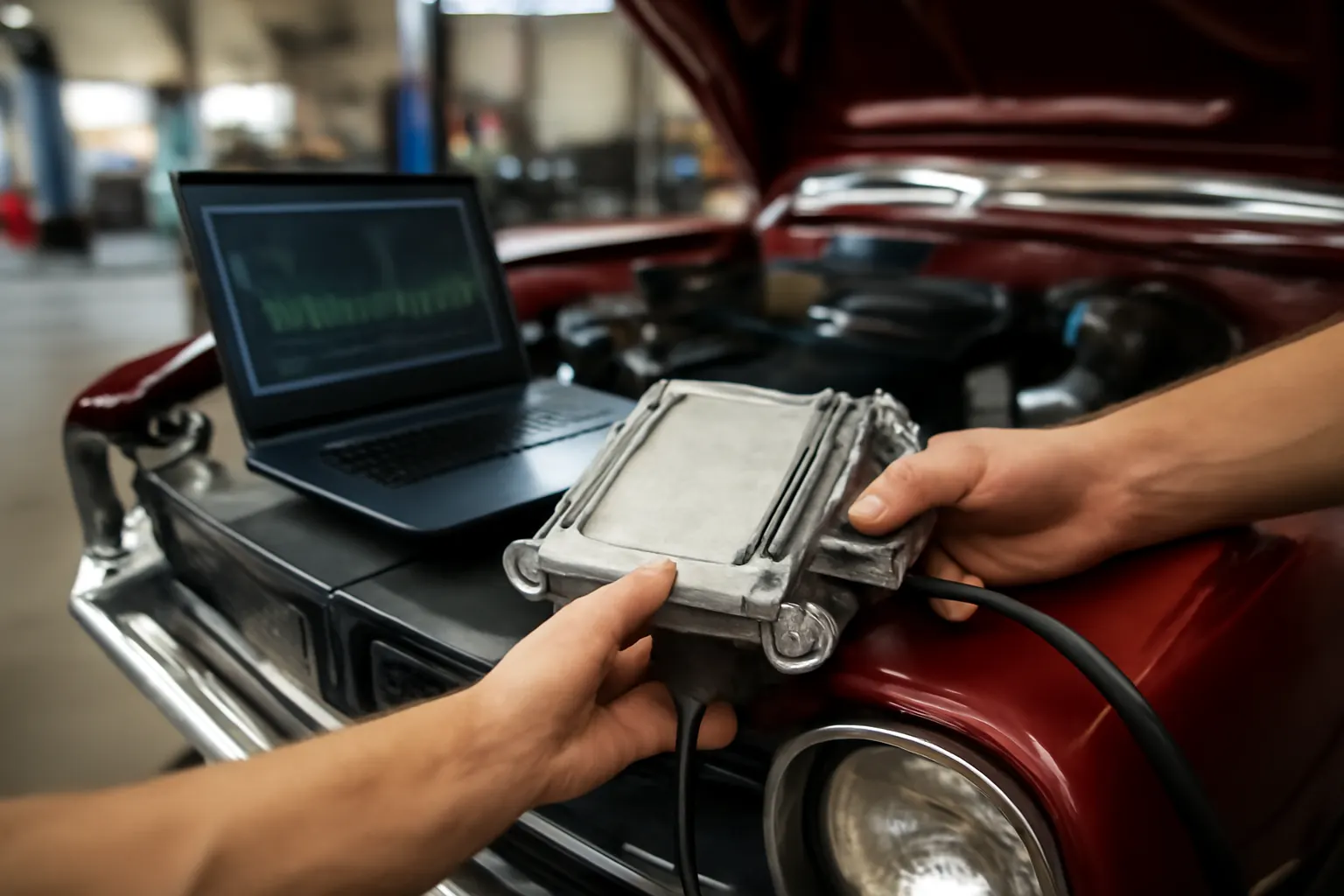
The chassis control computer is the electronic nerve center for AMC vehicles equipped with electronic controls. This module manages signals between sensors, actuators, and subsystems such as fuel management, ignition timing, emissions systems, and sometimes even ride height or steering assist. Its main job: optimize how your AMC drives, handles, and sips fuel.
Immediate Impact:
A healthy, correctly calibrated AMC chassis computer improves fuel efficiency, smooths out throttle response, and ensures emissions compliance. It does this by processing real-time data from the engine, transmission, and chassis sensors, then making rapid-fire adjustments to maximize performance and minimize waste.
Driveability:
When functioning properly, the chassis computer helps your AMC start reliably, accelerate smoothly, and maintain consistent power delivery. Malfunctions can cause rough idling, hesitation, poor shifting, or even no-start conditions—directly impacting how enjoyable and safe your classic AMC is on the road.
The Hidden Problem: Aging Electronics, Obsolete Parts, and Efficiency Loss
Many AMC vehicles on the road today are running on original or decades-old replacement chassis computers. These modules face a unique set of challenges:
- Aging Components: Electrolytic capacitors dry out, solder joints crack, and integrated circuits degrade, all leading to signal errors and intermittent failures.
- Obsolete Technology: Early AMC computers lack the adaptive learning and diagnostics of modern ECUs, making it harder to detect or compensate for sensor drift and mechanical wear.
- Parts Scarcity: Sourcing an exact-fit replacement or repair solution for AMC chassis computers is increasingly difficult, with many modules out of production and aftermarket options limited.
Efficiency Consequence:
Even minor computer faults or outdated calibration can rob your AMC of fuel economy, increase emissions, and accelerate wear on mechanical components. According to the United States Department of Energy, electronic engine and chassis management is a key driver of modern vehicle efficiency—meaning a failing or outdated chassis computer can drag your AMC’s performance down by 10% or more.
Technical Deep Dive: How the AMC Chassis Computer Optimizes Efficiency
To understand the full impact of the AMC chassis control computer, it’s important to look at its core functions and how they relate to efficiency:
1. Sensor Data Processing
The computer gathers information from inputs such as:
- Throttle position sensor
- Engine coolant temperature sensor
- Oxygen sensor (if equipped)
- Vehicle speed sensor
- Transmission position sensor
By interpreting this data, the module can make minute-to-minute adjustments to air-fuel ratio, ignition timing, and even idle speed. This is essential for:
- Maximizing Fuel Economy: By keeping the mixture lean when possible, the computer reduces fuel use.
- Reducing Emissions: Proper control ensures the catalytic converter operates efficiently.
- Maintaining Smooth Operation: Adapting to temperature, altitude, and load conditions.
2. Actuator Control
The chassis computer directly controls:
Advertisement
- Idle air control valve
- EGR valve (if equipped)
- Fuel injectors or carburetor solenoids
- Transmission shift solenoids (in some models)
By managing these actuators, the computer ensures:
- Efficient Cold Starts: Adjusting mixture and idle for rapid warm-up.
- Optimal Power Delivery: Timing fuel and spark for best performance.
- Smooth Shifting: Coordinating engine and transmission for minimal drivetrain shock.
3. Diagnostic and Fail-Safe Modes
Some AMC computers include basic self-diagnostics. When a fault is detected, the computer may enter a “limp” or fail-safe mode, using default values to keep the vehicle drivable but sacrificing efficiency and performance.
Symptoms of a Failing AMC Chassis Control Computer
Identifying chassis computer issues early is vital for maintaining efficiency and reliability. Here’s what to watch for:
- Erratic Idle or Stalling: The computer can no longer stabilize idle speed.
- Surging or Hesitation: Intermittent loss of sensor input or actuator control.
- Check Engine Light (if equipped): Persistent or intermittent warning.
- Poor Fuel Economy: Noticeable drop in miles per gallon despite tune-ups.
- Transmission Issues: Hard or delayed shifting in electronically controlled models.
- No-Start or Random Stalling: Complete failure of computer output.
Diagnostic Checklist: Evaluating Your AMC Chassis Computer
Before replacing or repairing the chassis computer, run through this expert checklist to isolate the problem:
| Step | Diagnostic Action | What to Look For |
|---|---|---|
| 1 | Visual Inspection | Corroded connectors, burnt components, water intrusion |
| 2 | Power Supply Check | Confirm battery voltage at computer terminals |
| 3 | Ground Integrity | Test for clean, low-resistance grounds |
| 4 | Sensor Input Test | Check signals from TPS, coolant temp, O2 sensor |
| 5 | Output Test | Verify actuator response (idle control, solenoids) |
| 6 | Module Swap/Test | Substitute with known-good unit if possible |
| 7 | Scan for Codes (if equipped) | Retrieve and interpret stored fault codes |
Note:
Classic AMCs may not have OBD-II ports. Use factory service manuals and period-correct diagnostic tools for code retrieval and sensor testing. For more detailed procedures, consult our Amc Chassis Electronics Diagnostics Article.
Efficiency Loss: Quantifying the Impact of Chassis Computer Faults
Even subtle chassis computer issues can have outsized effects on efficiency:
- Fuel Usage: A malfunctioning computer may run the engine rich, wasting fuel and fouling plugs.
- Emissions: Incorrect air-fuel mixtures can overwork the catalytic converter, leading to premature failure and failed emissions tests.
- Component Wear: Poor timing or idle control stresses the engine, transmission, and exhaust systems.
According to the DOE’s Fuel Efficiency resource, electronic management systems are central to achieving optimal fuel economy. A misbehaving AMC chassis computer can reduce efficiency by 10–20%, especially in city driving or during warm-up cycles.
Sourcing and Fitment: Finding the Right AMC Chassis Control Computer
Given the age and rarity of AMC vehicles, sourcing a correct-fit chassis computer requires diligence:
1. OEM vs. Aftermarket
- OEM Units: Often available only as used or refurbished modules. Ensure part numbers match exactly.
- Aftermarket Units: Scarce for AMC, but some specialists or remanufacturers offer compatible replacements.
2. Supersession and Compatibility
AMC often revised part numbers or superseded modules during production. Always cross-check:
- Vehicle model, year, and engine
- Transmission type
- Emissions package (California vs. Federal)
See our Amc Electronic Module Supersession Guide for detailed fitment charts and interchange data.
3. Testing Before Purchase
Whenever possible, verify that a used or remanufactured computer has been bench-tested. Ask for:
- Test reports
- Warranty terms
- Return policy
Installation and Calibration: Getting the Most from Your New Computer
Proper installation is critical for both efficiency and reliability:
Installation Steps
- Disconnect Battery: Prevents electrical shorts.
- Remove Old Module: Carefully unplug connectors and mounting hardware.
- Inspect Harness: Check for damaged pins, corrosion, or frayed wires.
- Install New Module: Securely fasten and reconnect all plugs.
- Reconnect Battery: Restore power and perform system checks.
- Initial Start-Up: Observe for abnormal lights, idle, or warning signals.
Advertisement
Calibration and Learning
Some later AMC computers require a drive cycle to “learn” sensor baselines. Refer to service documentation for specific procedures.
Maintenance Tips: Extending the Life of Your AMC Chassis Computer
With rare and costly modules, proactive maintenance pays dividends:
- Keep Electrical Connections Clean: Use dielectric grease on plugs to prevent corrosion.
- Protect from Moisture: Ensure firewall grommets and module covers are intact.
- Avoid Voltage Spikes: Use a battery maintainer if storing your AMC for long periods.
- Check Grounds Regularly: Poor grounds are a leading cause of intermittent faults.
- Monitor Battery Health: Low voltage can corrupt computer memory or cause erratic operation.
Upgrades and Modernization: Can You Improve on the Original?
Classic AMC chassis computers are basic by modern standards. Some owners opt for upgrades:
Retrofit Options
- Standalone ECUs: Aftermarket programmable ECUs can replace the original computer, offering finer control and diagnostics.
- Sensor Modernization: Upgrading to modern sensors (O2, MAP, etc.) can improve accuracy.
- Wiring Harness Updates: New harnesses reduce signal loss and improve reliability.
Caveat:
Retrofitting requires custom tuning and sometimes fabrication. Not all upgrades are reversible or emissions legal in all areas—research thoroughly before modifying your AMC.
Common Pitfalls: Mistakes to Avoid When Diagnosing or Replacing AMC Chassis Computers
- Assuming the Computer Is Always at Fault: Many issues traced to the computer are actually due to bad sensors, wiring, or grounds.
- Ignoring Supersession: Installing an incorrect module can cause no-start or severe driveability issues.
- Overlooking Calibration: Failing to complete relearn procedures can result in rough idle or poor fuel economy.
- Neglecting Documentation: Always consult factory service manuals and wiring diagrams.
Safety and Reliability: Why a Healthy Chassis Computer Matters
The National Highway Traffic Safety Administration notes that electronic control modules are integral to modern vehicle safety and equipment operation. In classic AMCs, a failing chassis computer can:
- Compromise fuel management, risking engine damage or fire
- Impair emissions systems, leading to legal and environmental issues
- Disable safety-critical features like electronic idle control or shift interlocks
Maintaining a robust chassis computer is as much about safety as it is about efficiency.
AutoPartEx Expert Path: Diagnostics, Sourcing, and Long-Term Support
AutoPartEx specializes in legacy and hard-to-find automotive electronics, with a particular focus on classic AMC applications. Our technical team provides:
- Detailed fitment data and supersession guides
- Sourcing for tested, warrantied AMC chassis computers
- Diagnostic support for both DIY and professional mechanics
- Editorial content and step-by-step guides for installation, troubleshooting, and upgrades
For a deep dive into AMC chassis computer fitment, part numbers, and expert sourcing, visit our AMC Chassis Control Computer: Diagnostics, Fitment, and Expert Sourcing page.
When to Seek Professional Help
If you’ve exhausted basic diagnostics and your AMC still exhibits symptoms of chassis computer failure, it’s time to consult a professional:
- Specialty AMC Shops: These have access to rare modules and period-correct diagnostic tools.
- Auto Electricians: Experts in vintage wiring and module repair.
- Remanufacturers: Some electronic specialists can rebuild or repair your original chassis computer.
Don’t risk compounding the problem with untested or ill-fitting parts—expert intervention can save both time and money.
Conclusion: Efficiency, Reliability, and the Future of Your AMC
The AMC chassis control computer is a silent partner in your classic vehicle’s performance, efficiency, and reliability. With proactive diagnostics, careful sourcing, and expert installation, you can ensure your AMC delivers both the nostalgia and the driveability you expect—mile after mile. Whether you’re chasing originality or looking to modernize, understanding the role and needs of your chassis computer is the key to keeping your AMC on the road for decades to come.
For further reading on diagnostics and replacement, see our Amc Chassis Computer Replacement Guide.
References
Advertisement